A practical integration guide: MCP tools, webhooks, forms, CLI, n8n, and the SDK — everything you need to connect kanban-lite to your agent stack.
This is Part 2 of a 3-part series on building the human layer in AI agent systems. ← Part 1: The Problem · Part 3: Real Workflows →
TL;DR
- kanban-lite exposes the same board through six interfaces: Web UI, VS Code, CLI, REST API, TypeScript SDK, and MCP server. A dedicated n8n node covers the same surface.
- Mutation webhooks react to state changes. Action webhooks react to explicit human commands.
form.submitevents carry validated structured data. - Setup takes five commands. Connecting your orchestrator takes two webhook URLs.
Part 1 covered why agent pipelines need a shared human control surface. This article covers how to wire one up.
The goal: your orchestrator creates and updates cards, humans interact through the board, and webhook events close the loop back to automation. Let's walk through the integration surfaces, signal types, and the practical wiring.
Six Ways In, Same Board
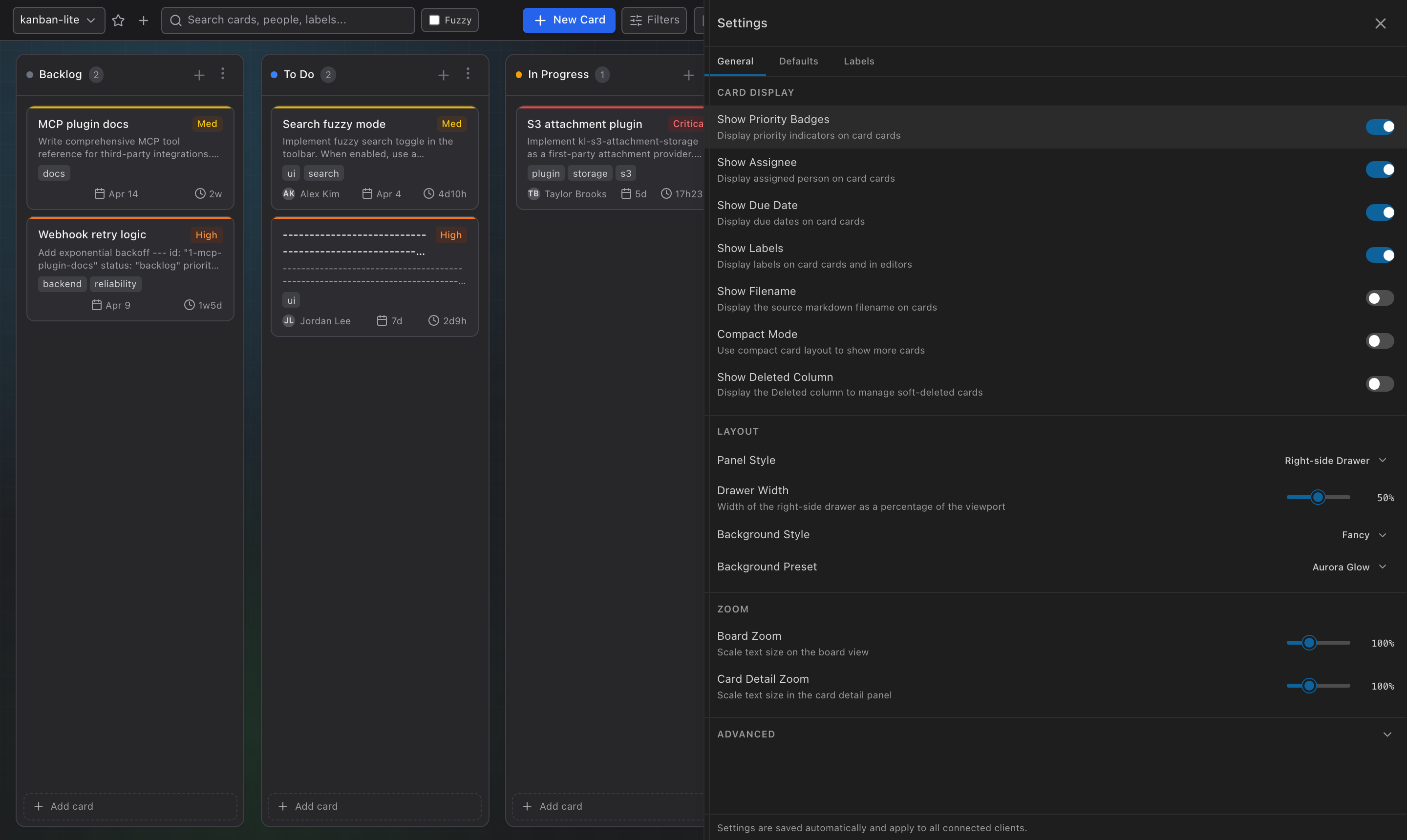
Every interface reads and writes the same underlying board. Pick whichever fits each part of your system:
| Interface | Best For | Example |
|---|---|---|
| TypeScript SDK | In-process agent code, custom backends | sdk.createCard({ title, priority, forms }) |
| REST API | Microservices, remote agents, any language | POST /api/tasks with JSON body |
| CLI | Scripts, CI/CD pipelines, shell automation | kl add --title "Deploy v2" --actions "retry,rollback" |
| MCP Server | LLM agents (Claude, GPT, Codex) | create_card, move_card, add_comment tools |
| n8n Node | Visual automation, no-code workflows | Kanban Lite node + Kanban Lite Trigger |
| Web UI / VS Code | Humans browsing, reviewing, acting | Drag-and-drop, comment, click actions |
The MCP server deserves extra attention if you're building AI agent workflows. It runs over stdio transport and exposes 40+ tools that map directly to SDK methods. Any MCP-compatible agent can manage the board natively.
For teams using Claude Code, Codex, or OpenCode, there's a one-liner:
npx skills add https://github.com/borgius/kanban-lite
That installs the kanban skill via skills.sh, giving the agent full board context and the ability to create, update, move, and comment on cards from the terminal.
Setting Up in Five Commands
# Install
npm install -g kanban-lite

# Initialize a board
kl init

# Start the server (web UI + REST API + WebSocket)
kl serve

# Register a webhook for state-change events
kl webhooks add --url https://your-pipeline.example.com/events \
  --events task.moved,task.created,comment.created,attachment.added,form.submit

# Start the MCP server for AI agents
kl mcp
That gives you a running board at http://localhost:3000, a REST API at /api, live WebSocket sync, webhook delivery, and an MCP endpoint your agents can connect to.
Three Signal Types Your Orchestrator Should Handle
This is the key architectural decision. kanban-lite emits three distinct signal types, and your webhook handler should treat them differently.
1. Mutation events — ambient state changes
Fired when anything changes: card created, moved, updated, deleted; comment added; attachment uploaded.
{
  "event": "task.moved",
  "timestamp": "2026-03-19T14:32:00.000Z",
  "data": {
    "id": "blog-post-q3-launch",
    "status": "review",
    "previousStatus": "in-progress",
    "assignee": "maya"
  }
}
Use for: triggering downstream automations, syncing external systems, updating dashboards.
Register these with kl webhooks add or the REST API. You can subscribe to specific events or * for all.
2. Action events — explicit human commands
Fired when a human (or agent) clicks a named action button on a card or triggers a board-level action.
Configure the global action endpoint in .kanban.json:
{
  "actionWebhookUrl": "https://your-pipeline.example.com/card-actions"
}
The payload includes the action key, the full card context, and who triggered it:
{
  "event": "board.action",
  "data": {
    "action": "approve-publish",
    "card": {
      "id": "blog-post-q3-launch",
      "status": "review",
      "assignee": "maya",
      "formData": { "editorial-review": { "tone": "approved", "notes": "Good to go" } }
    }
  }
}
Use for: explicit commands that should trigger specific orchestrator behaviors — approve, reject, retry, escalate, deploy.
Actions can be updated dynamically as a card moves through stages. While a card is in review, expose retry-draft and approve-publish. After approval, replace them with publish-now. After publishing, add create-social-assets. Your orchestrator can update actions via SDK, API, CLI, or MCP.
Configuring Forms
Forms are defined in .kanban.json and attached to cards by name:
{
  "forms": {
    "qa-signoff": {
      "schema": {
        "type": "object",
        "title": "QA Sign-off",
        "required": ["owner", "result"],
        "properties": {
          "owner": { "type": "string" },
          "result": { "type": "string", "enum": ["pass", "fail", "blocked"] },
          "notes": { "type": "string" }
        }
      }
    },
    "editorial-review": {
      "schema": {
        "type": "object",
        "title": "Editorial Review",
        "required": ["tone", "factCheck"],
        "properties": {
          "tone": { "type": "string", "enum": ["approved", "needs-work", "rejected"] },
          "factCheck": { "type": "boolean" },
          "notes": { "type": "string" }
        }
      }
    }
  }
}
Attach forms when creating a card:
# CLI
kl add --title "Review article" --forms '["editorial-review", "qa-signoff"]'
// SDK
await sdk.createCard({
  title: 'Review article',
  forms: [{ name: 'editorial-review' }, { name: 'qa-signoff' }]
});
// REST API — POST /api/tasks
{
  "title": "Review article",
  "forms": [{ "name": "editorial-review" }, { "name": "qa-signoff" }]
}
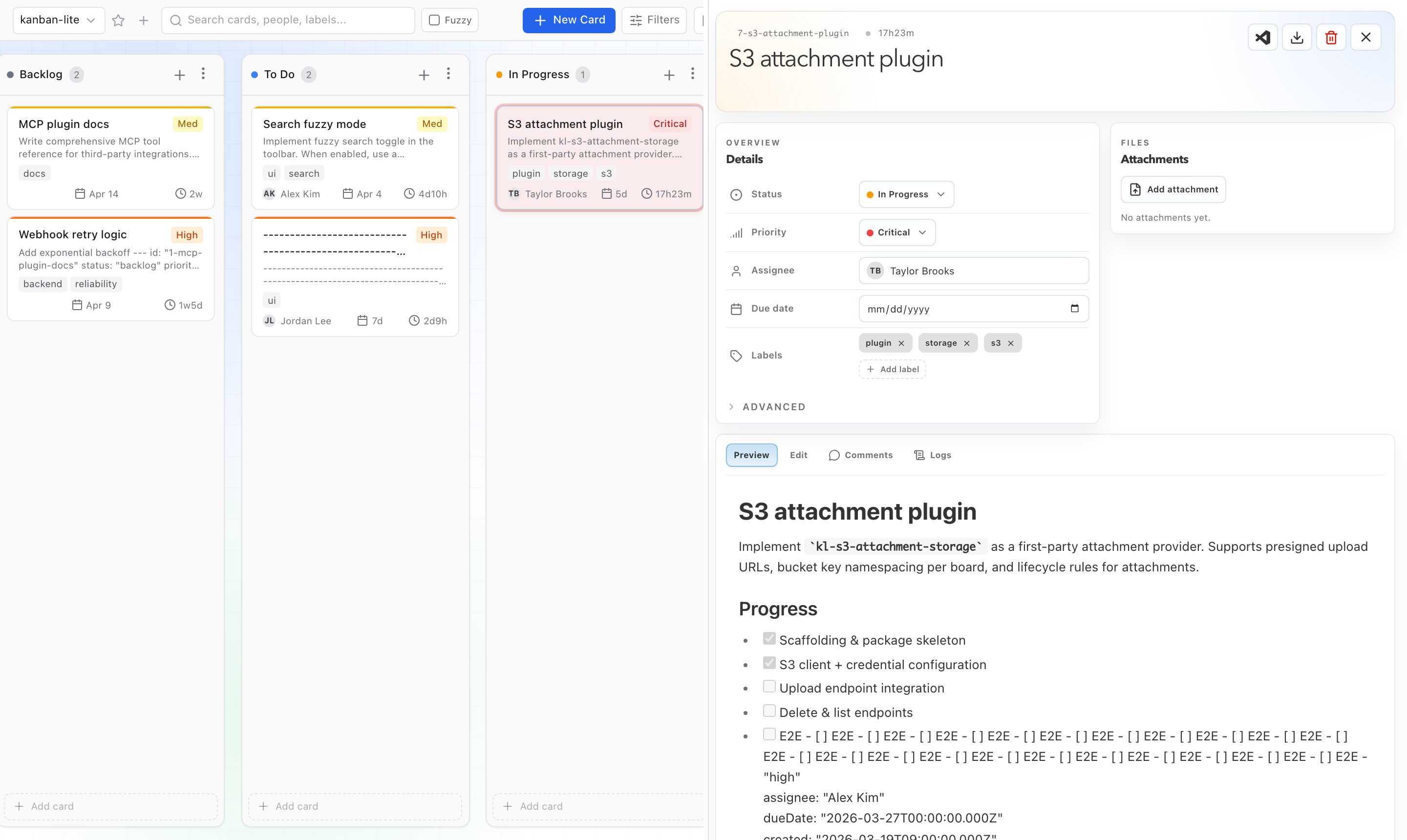
Each form renders as its own tab in the card detail panel. Submitted data persists under formData[formId], so multiple forms on one card don't collide.
n8n Integration: Visual Wiring
If your automation runs on n8n, the first-party n8n-nodes-kanban-lite package gives you two nodes:
Kanban Lite (app node) — covers every resource:
| Resource | Operations |
|---|---|
| Card | list, get, create, update, move, delete, transfer, trigger action |
| Board | list, get, create, update, delete, set default, trigger action |
| Column | list, add, update, remove, reorder |
| Comment | list, add, update, delete |
| Attachment | list, add, remove |
| Form | submit |
| Webhook | list, create, update, delete |
| Settings | get, update |
| Storage | status, migrate to SQLite, migrate to markdown |
Kanban Lite Trigger (trigger node) — event-driven automation with two transport modes:
- Remote API: n8n receives after-events via HTTP webhook from a running kanban-lite server.
- Local SDK: n8n runs on the same machine and observes both before-events and after-events in-process — useful for pre-action validation or gating.
Scaling Beyond Markdown
Cards start as markdown files — perfect for small teams, local dev, and Git-friendly workflows. When you need more:
| Need | Solution |
|---|---|
| Faster queries at scale | kl storage migrate-to-sqlite — keeps .kanban.json config, moves cards to SQLite |
| MySQL for shared infra | kl-mysql-storage plugin — same migration path |
| S3 for large attachments | kl-s3-attachment-storage plugin — works with AWS S3, MinIO, DigitalOcean Spaces |
| Actor-scoped unread tracking | kl-sqlite-card-state plugin — persists who has seen what |
| Auth & RBAC | kl-auth-plugin — identity resolution + role-based policies (user/manager/admin) |
All of these are configured through .kanban.json under the plugins key. The plugin architecture uses capability namespaces (card.storage, attachment.storage, auth.identity, auth.policy, card.state), so you can mix and match without replacing the entire stack.
Webhook Security
Webhooks support HMAC-SHA256 signing. When you register a webhook with a secret:
kl webhooks add --url https://example.com/hook --secret my-signing-key
Every delivery includes an X-Webhook-Signature: sha256=… header. Your handler should verify the signature before processing.
Delivery is fire-and-forget — kanban-lite does not retry. For durable delivery with retries and dead-letter queues, route webhooks through n8n, Make, or Zapier.
Minimal Orchestrator Contract
Your orchestrator only needs to implement two HTTP endpoints:
1. Event handler — receives mutation and form events:
POST https://your-pipeline.example.com/events
Branch on the event field: task.moved, task.created, comment.created, form.submit, etc.
2. Action handler — receives explicit human commands:
POST https://your-pipeline.example.com/card-actions
Branch on the data.action field: approve-publish, retry-draft, escalate, etc.
That's it. Two endpoints. The board handles all the human-facing complexity.
At IncidentMind, this is the integration pattern we use when building custom agent systems for operations teams — the same approach I used when building Fidelity's AI-powered incident response platform, where agents needed to hand off to on-call engineers with full context attached. The two-endpoint contract keeps the orchestrator simple while the board handles the messy human-facing parts.
What's Next
Now you know how to wire the human layer. Part 3 walks through three complete workflows — content approval, incident management, and support escalation — with working card structures, form schemas, and webhook flows.
→ Part 3: 3 Human-in-the-Loop Workflows That Actually Work in Production
Viktor Burdyey builds AI automation systems at IncidentMind — custom agents, MCP servers, and workflow systems for teams that need secure, company-owned automation. Previously CTO at EAT24 (acquired by Yelp for $134M) and Senior Platform Engineer at Fidelity, where he built an AI-powered incident response platform. Open to senior/staff engineering roles and consulting engagements. LinkedIn · GitHub
🔗 kanban-lite on GitHub · npm · Documentation · MIT License